See what changed
Read the full release notes and Microsoft Store availability information here on the official SmoothTube website.
Native YouTube browsing for Windows 11
SmoothTube gives your subscriptions, search, watch history, comments, and playback a quieter desktop home. Videos that cannot play inside the embedded player can open in a branded in-app YouTube window, while your account features stay built around your own Google access.
Current release
Version 2.9.0 makes watch progress more consistent, queue playback clearer, theme changes safer, and embedded YouTube views more efficient.
Read the full release notes and Microsoft Store availability information here on the official SmoothTube website.
The optional Edge and Chrome extension redirects supported YouTube videos, Shorts, and livestreams while leaving YouTube Music in your browser.
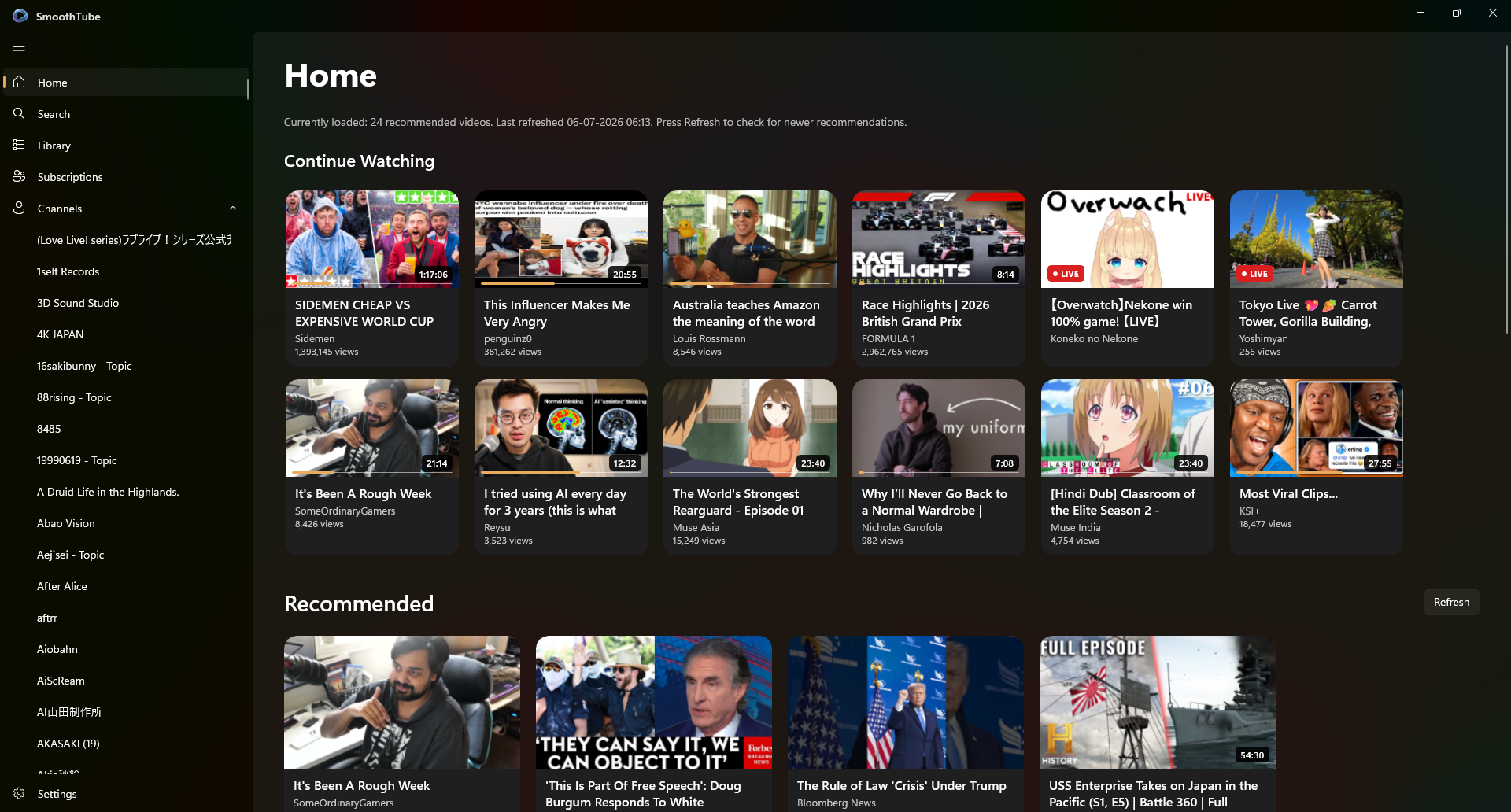
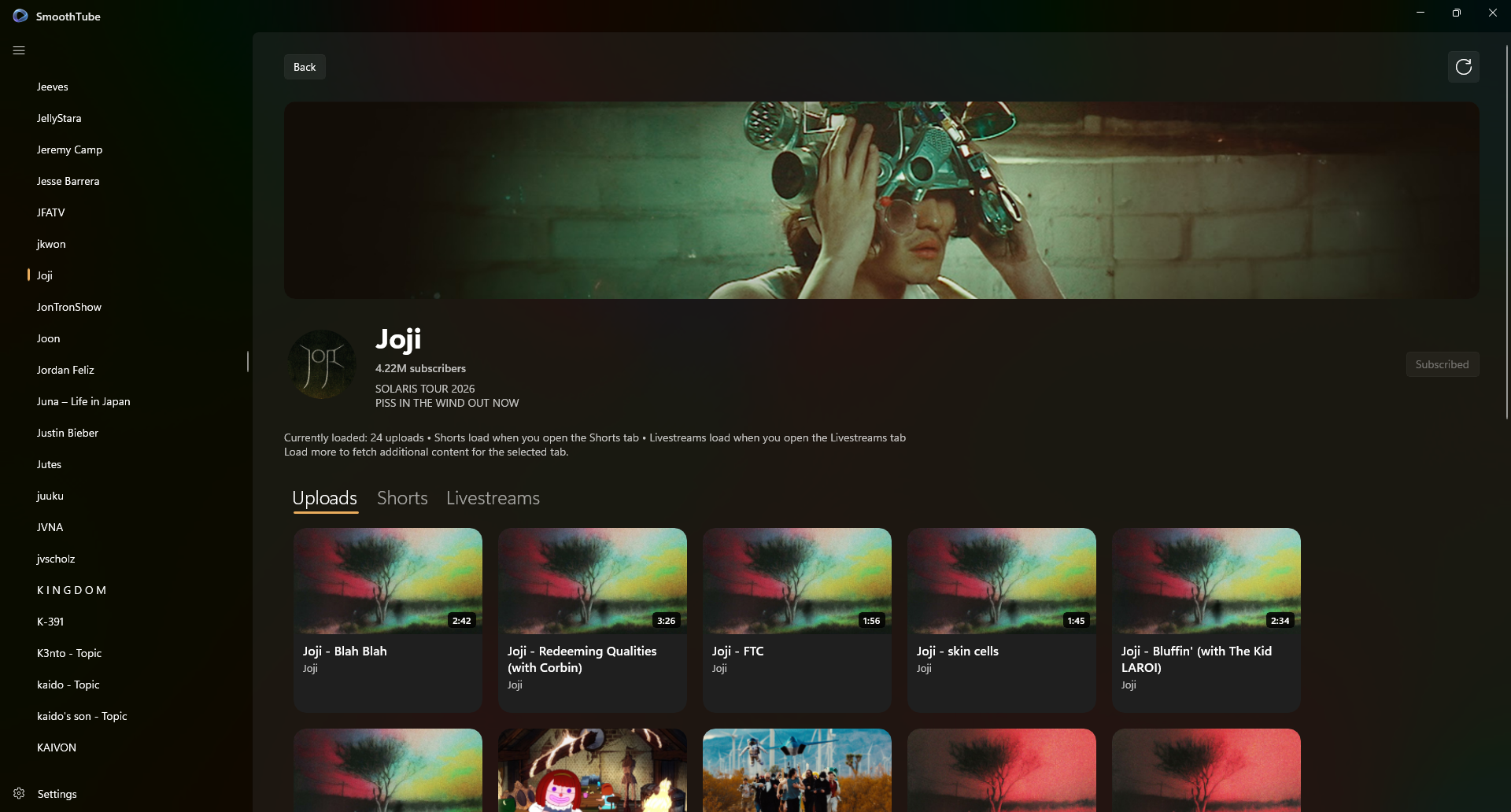
SmoothTube keeps the parts you use every day close at hand: subscriptions, channel pages, search, comments, playlists, queues, watched status, and a Continue Watching shelf that lives on your device.
WinUI navigation, native settings, WebView2 playback, comments, and layouts that feel at home on Windows 11 instead of squeezed into a browser tab.
Recent uploads from subscribed channels, live and premiere awareness, Shorts filtering, channel shortcuts, and background refreshes.
Continue Watching, watched status, recommendation interests, saved-playlist references, preferences, cached metadata, and credentials stay on your Windows device. There is no SmoothTube analytics backend watching you watch.
New in v2.9.0
Continue Watching progress now follows videos across more pages, autoplay persists until disabled, queue controls are clearer, and signed-in feeds recover more reliably after theme changes. If v2.9.0 is not visible in Microsoft Store yet, Microsoft may still be processing, certifying, or gradually rolling out the update.
Because SmoothTube is independent, it asks you to bring your own YouTube API access. After a few minutes of one-time setup, the native Windows app can load the YouTube features you authorize using credentials protected on your PC.
Create a small Google Cloud project, enable YouTube Data API v3, and paste the key into SmoothTube. Signed-in features use a desktop OAuth client.
Your API key and sign-in tokens are stored with Windows Credential Locker. SmoothTube does not collect or resell your account data.
You get subscriptions, personal playlists, comments, ratings, channel actions, and a native app that does not require a new SmoothTube account.
The wiki keeps the guide human: what to click, what to copy, why Google asks for it, and what to do if a sign-in screen says the app is still testing.
Use the Microsoft Store build for normal updates. Windows 11 is the main requirement; WebView2 is normally already included.
Google gives you an API key and optional OAuth desktop credentials. SmoothTube uses them only on your PC.
Enter the values in Settings, sign in if you want subscriptions, and continue with a calmer desktop YouTube flow.
SmoothTube uses official YouTube playback surfaces and the YouTube Data API. Some videos, quota limits, ads, and account rules are still governed by YouTube and Google.
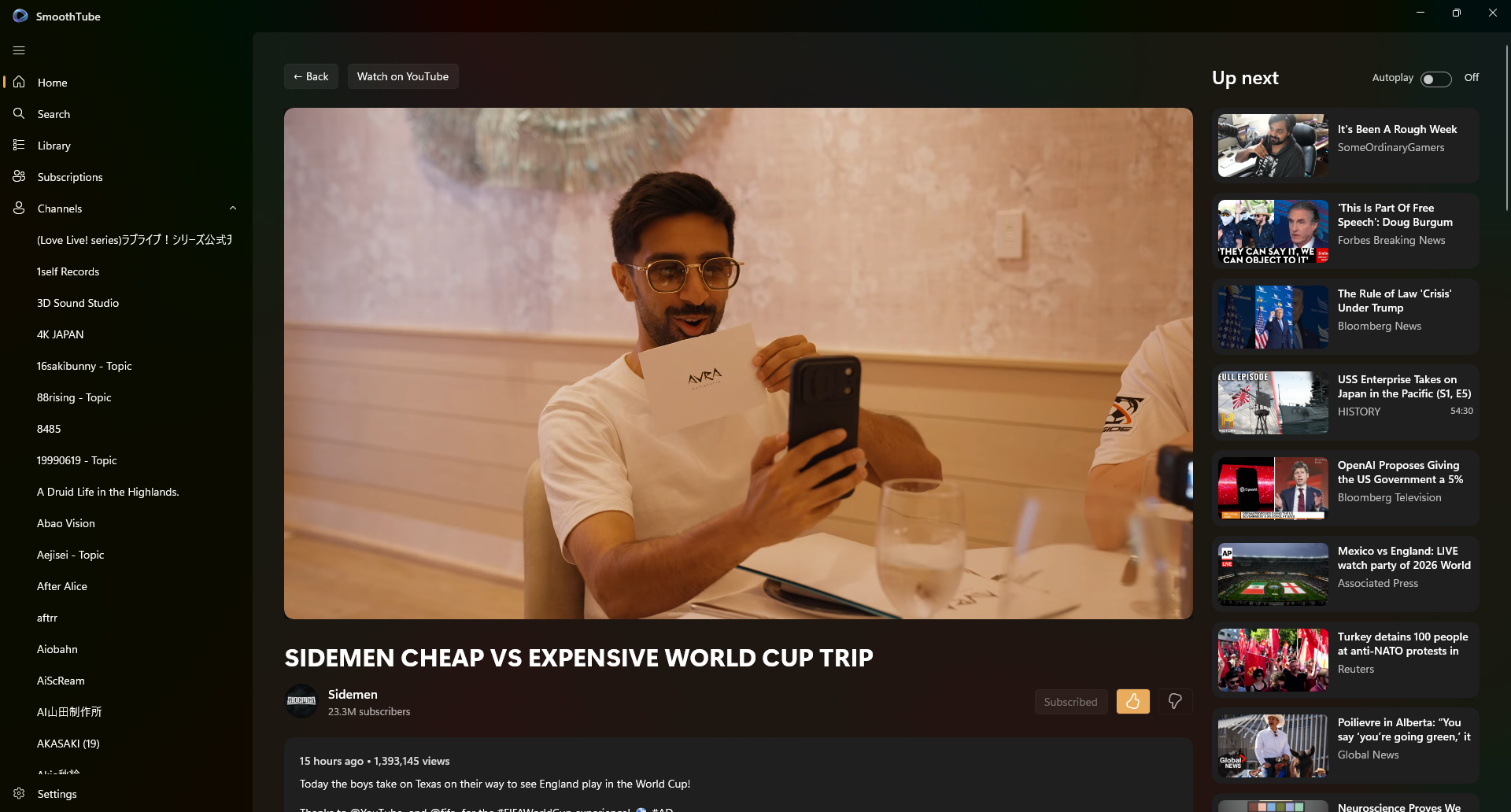
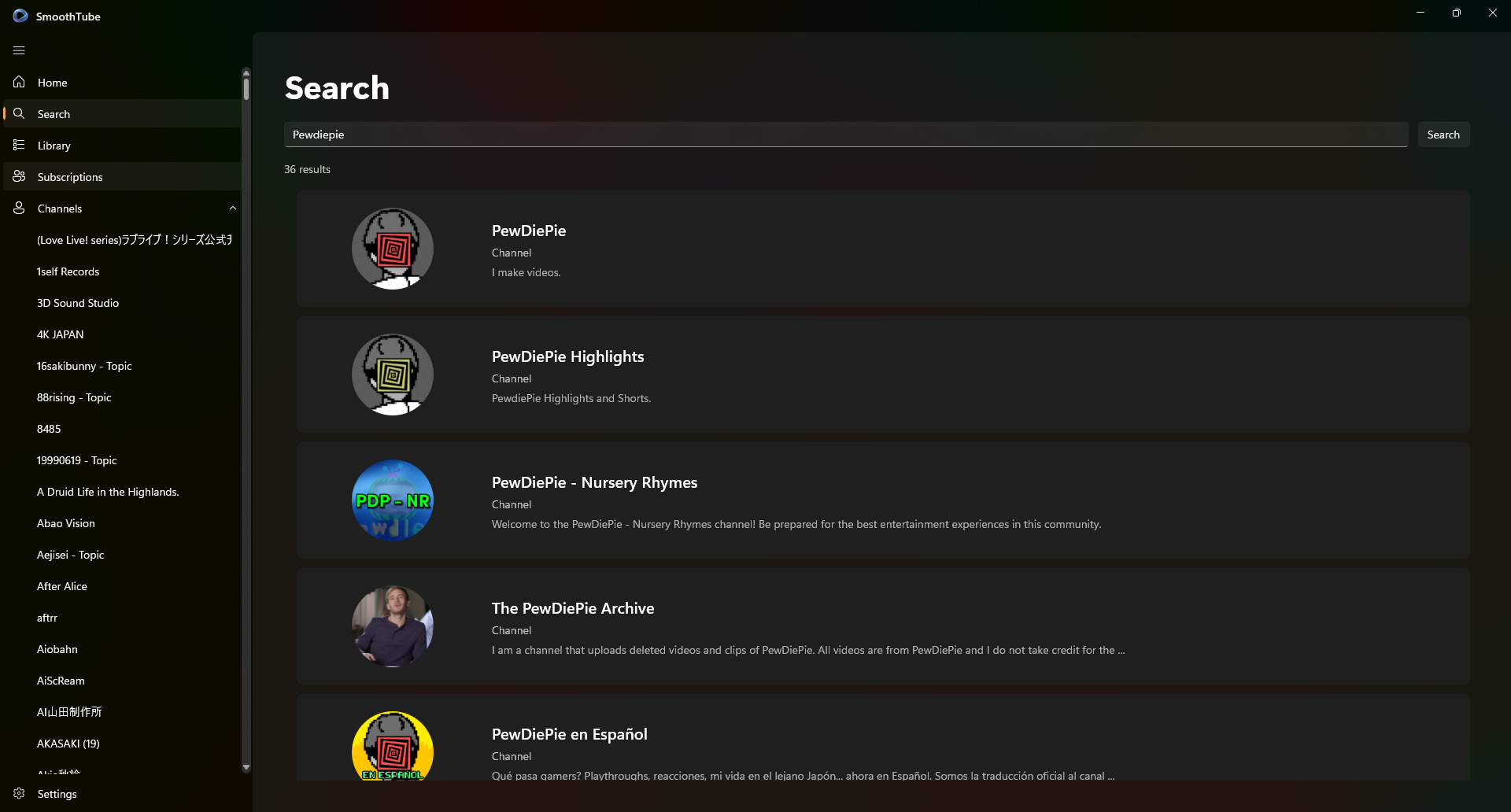
Searches videos and channels, shows subscriptions, opens channel pages, resumes unfinished videos, displays comments, opens embed-blocked videos in a branded YouTube watch window, and redirects supported browser links through the optional extension.
It does not download videos, bypass embedding restrictions, hide YouTube's own playback policies, or run an advertising or analytics network.
Credits & support
SmoothTube is an independent project shaped around native Windows polish, clear documentation, careful API integration, and the small fixes that make the app feel calmer instead of heavier.
If SmoothTube saves you from another noisy browser tab, supporting the project helps keep updates moving and makes it easier to spend real time on the next round of improvements.
No pressure, no guilt trip. Just a clear way to back independent software if it earns a spot in your day.